Command center for sports events, with an AI assistant

Your event under control — no chaos, no overspending, no missed deadlines

GMS brings the schedule, incidents, regulations, venues and equipment, people and permissions into one system. Every service works to approved procedures, management sees the real picture, and reports for the client and regulators assemble themselves.
How it works AI capabilities
Data stored in RussiaWorks on phones and offlineChats built into the systemOnboarding on your own files
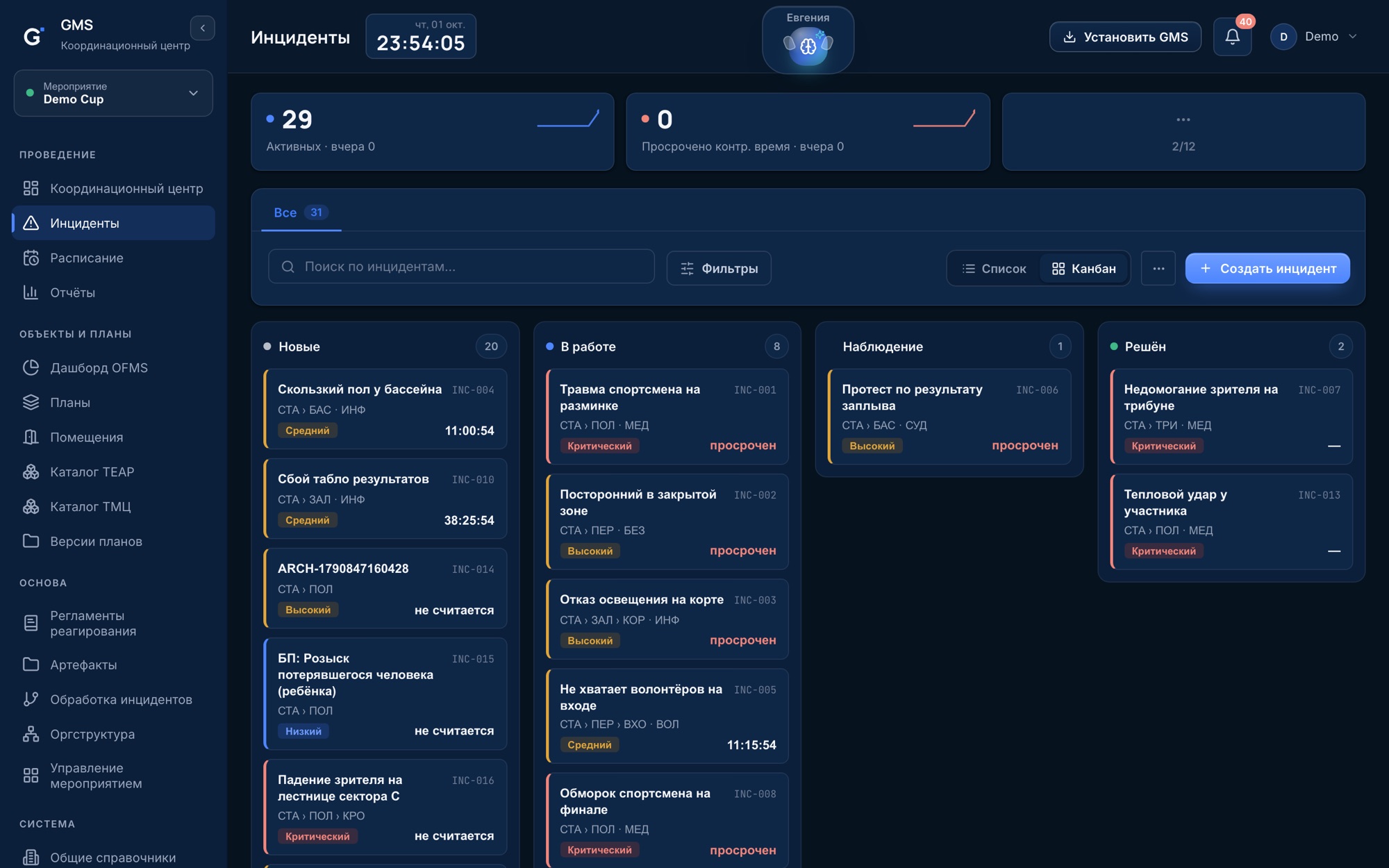
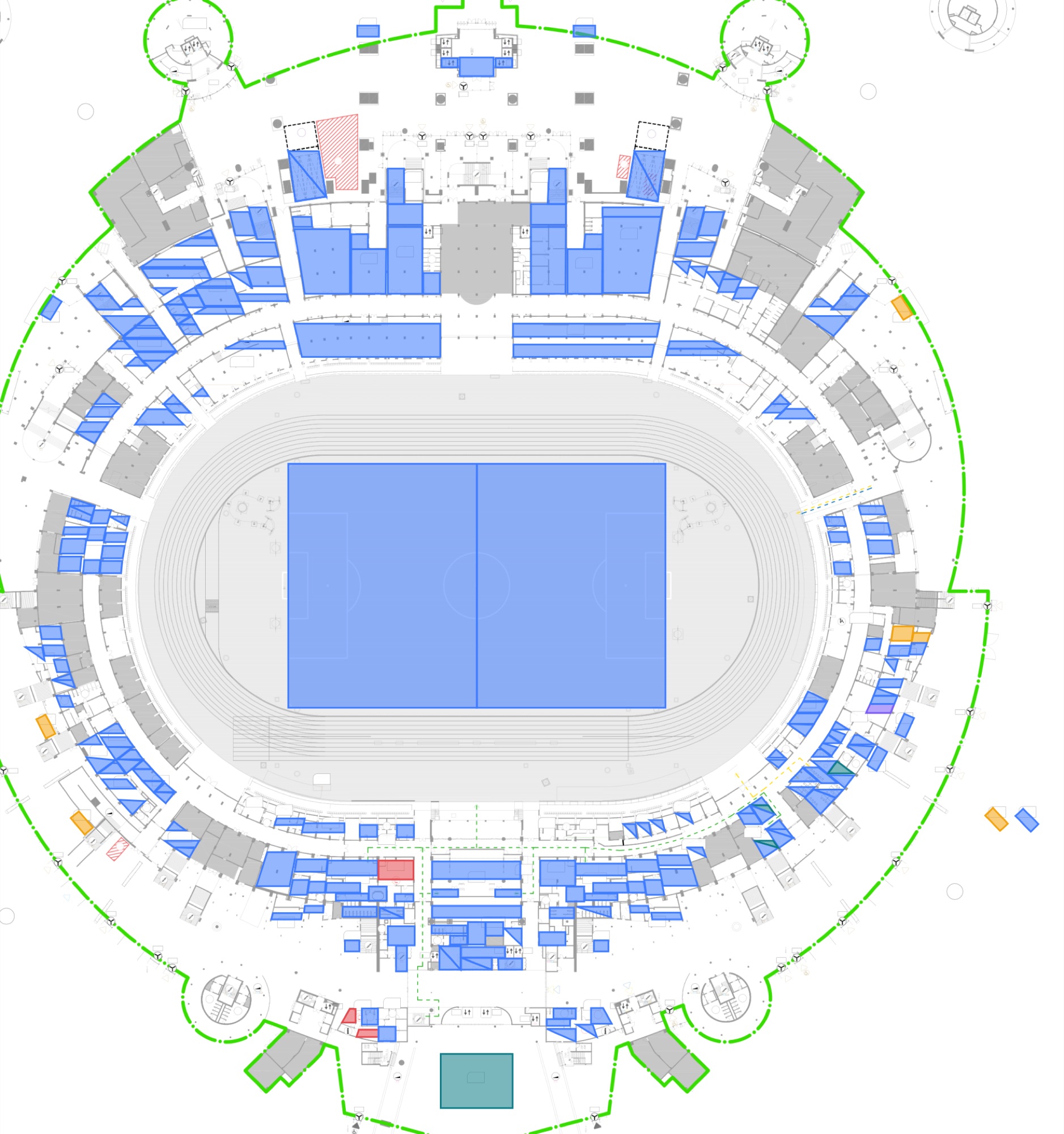
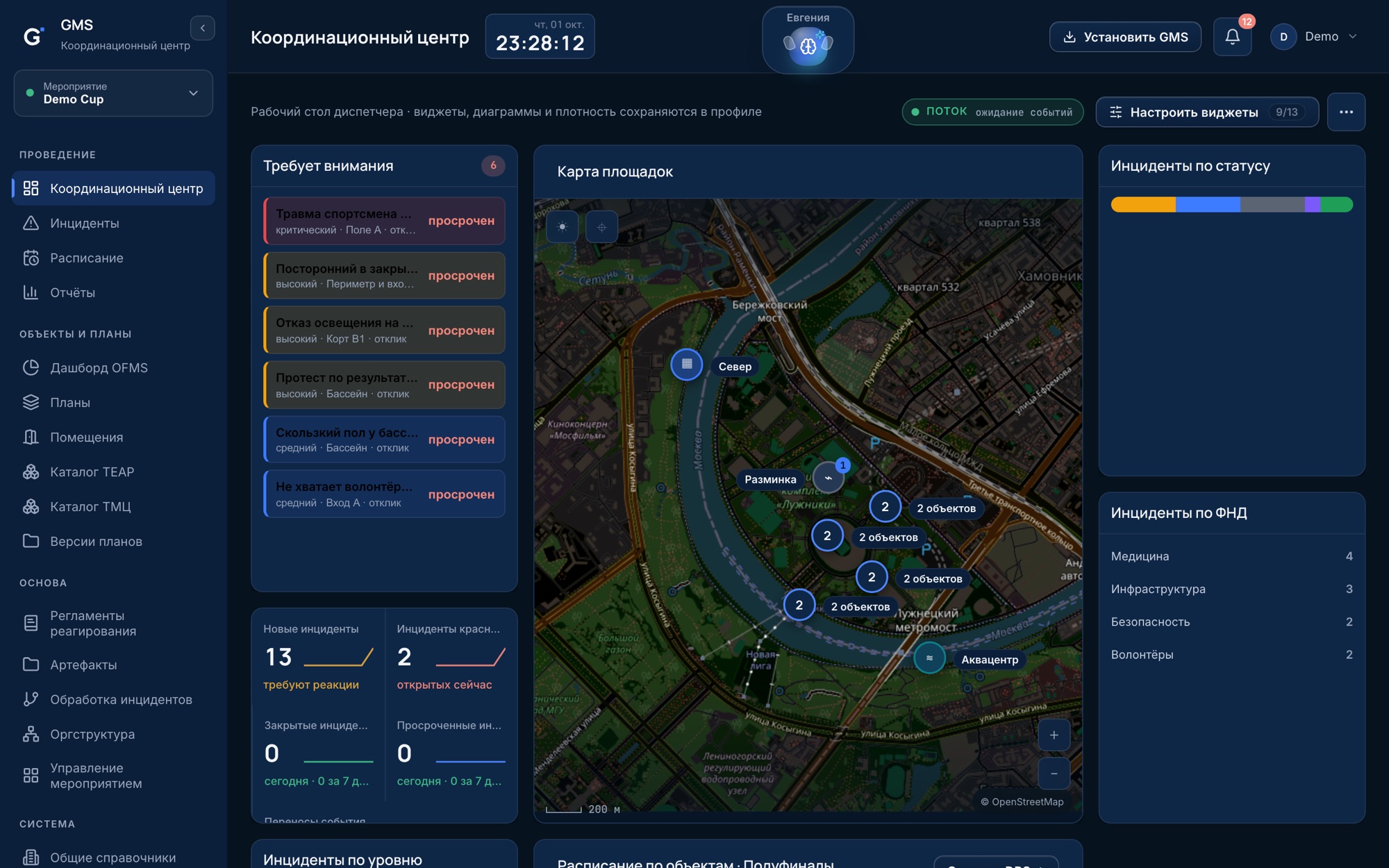
GMS command center: incidents needing attention, venue map, summary by service
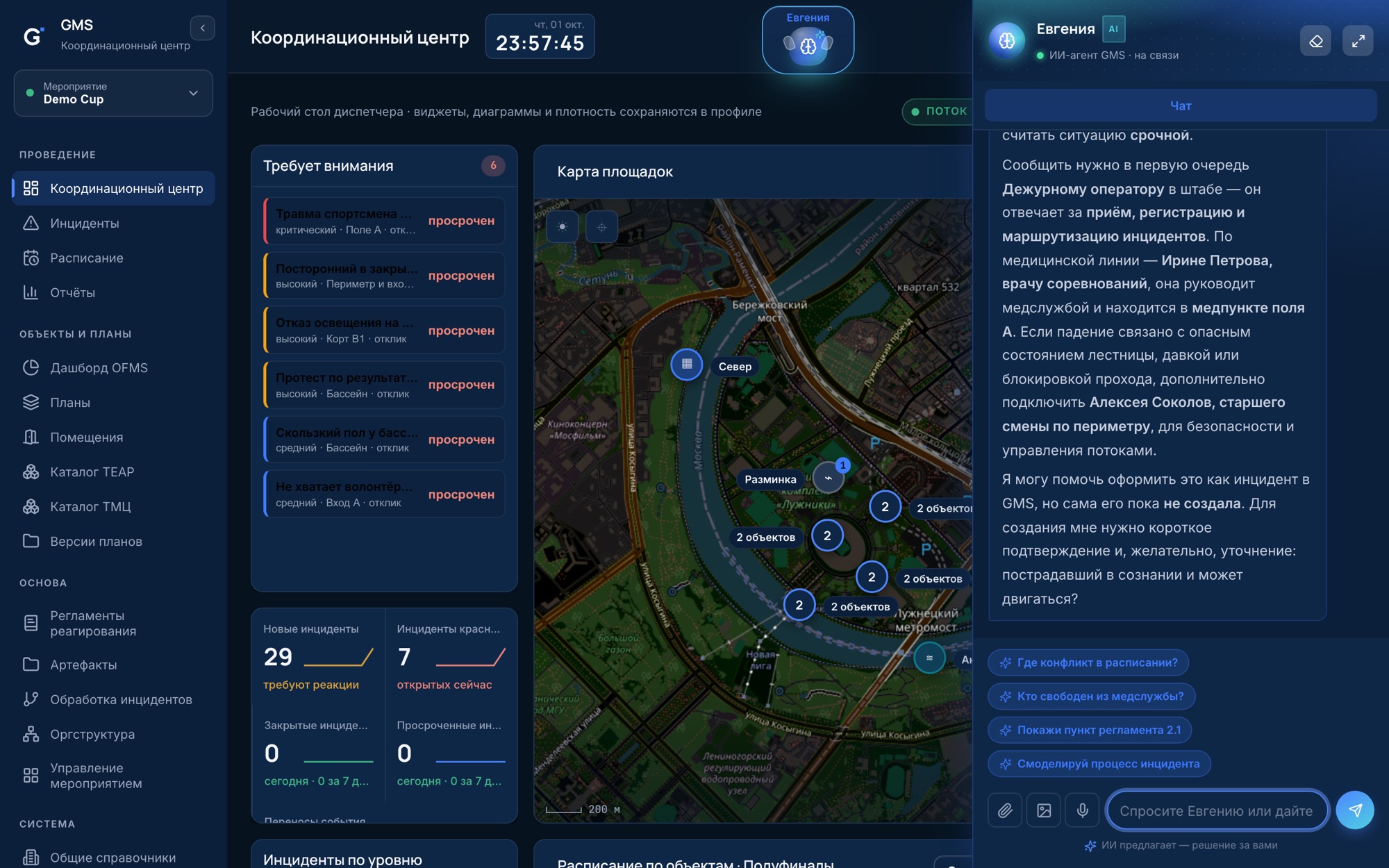
AI assistant Evgenia answers from the regulations
What the organizer gets

Six reasons your event costs less and runs more calmly

₽Budget savingsBuy equipment against actual requests, not "just in case". Venues, crews and vehicles don't sit idle because of schedule clashes.
◷Deadlines under controlA response deadline for every incident, preparation milestones, fit-out status for every room. Delays become visible before they break a deadline.
≡Transparency and reportingEvery decision, approval and action lives in one system with a full log. Reports for the client and regulators are built from facts.
◎Less load on staffRoutine goes to the system and the AI assistant: routing, reminders, summaries. A small team can run a large event.
✓Fewer mistakesThe right procedure is suggested automatically, owners are assigned by rules, venue conflicts are visible in advance.
§ComplianceWork to approved regulations, incident logging, personal data stored in Russia under Federal Law 152-FZ.
Modules

Each module covers its own line of costs and risks

The whole event situation on one screen

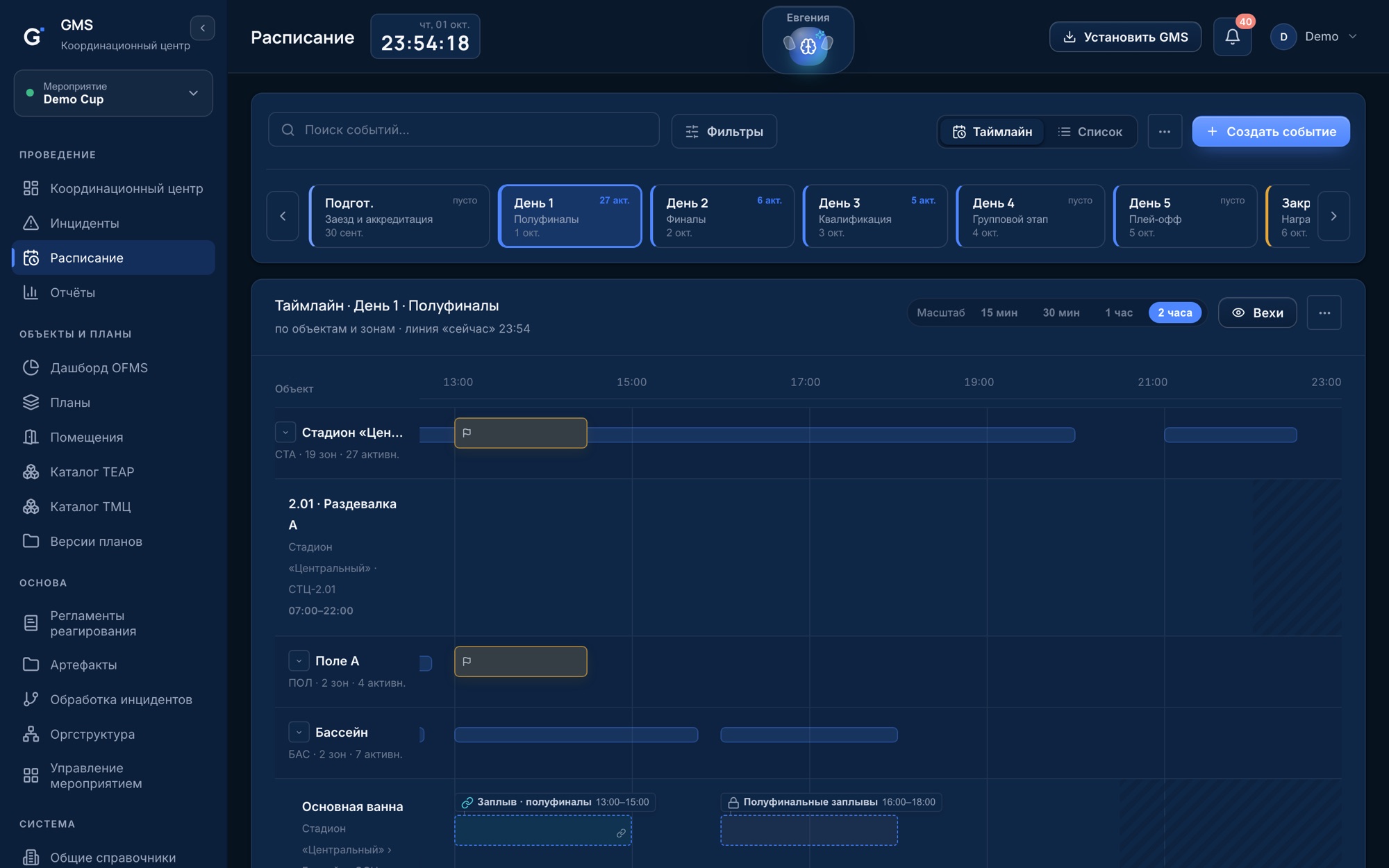
Incidents, venues on the map, the schedule and summaries by service update in real time. Management sees exactly what the dispatcher sees.

DeadlinesA problem is visible the moment it appears, not at the evening briefing
StaffOne dispatcher keeps every venue in view
ReportingThe directorate sees the picture without calls and manual summaries
Fewer mistakesOverdue response deadlines are highlighted automatically
GMS command center
Evgenia explains what to do when a spectator falls and whom to notify
AI assistant Evgenia

A team member who knows every regulation by heart and never gets tired before the final

Ask by voice or text, attach a photo, a document or a spreadsheet. Evgenia knows your event — people, venues, schedule and regulations — answers with a reference to the clause and prepares the action in the system. The decision stays with a person.

Newcomers work like veteransprocedures and contacts in seconds, no digging through folders
Less manual workcards, events and summaries filled in from a single message
01Answers from your regulationsWhat to do, whom to notify, whom to involve — with a reference to the clause.
02Runs incidentsTurns a message or photo into a card: process, service, venue, level.
03Reads the schedule from a fileUpload an Excel workbook in any format — events land on the timeline.
04Analyzes regulationsFinds gaps, contradictions and outdated clauses before the event starts.
05Finds people and resourcesWho is free in the medical service, who owns a room, where equipment is.
06Watches the scheduleFlags venue conflicts and shifts that will affect neighboring events.
07Prepares summaries and reportsA shift or day summary on request — no manual collection from chats.
08Understands voice, photos and documentsDictate from the venue, attach a picture or a PDF — the assistant will handle it.
Acts only within the user's permissions Every action is in the audit log Asks for confirmation before creating a record Personal data is anonymized before reaching an external model
Chats inside GMS

No more switching between messengers and guessing where to write

All event communication lives in the same system as incidents, the schedule and regulations. Rooms are built automatically from the org structure, and the situation at the venue is right next to the conversation.
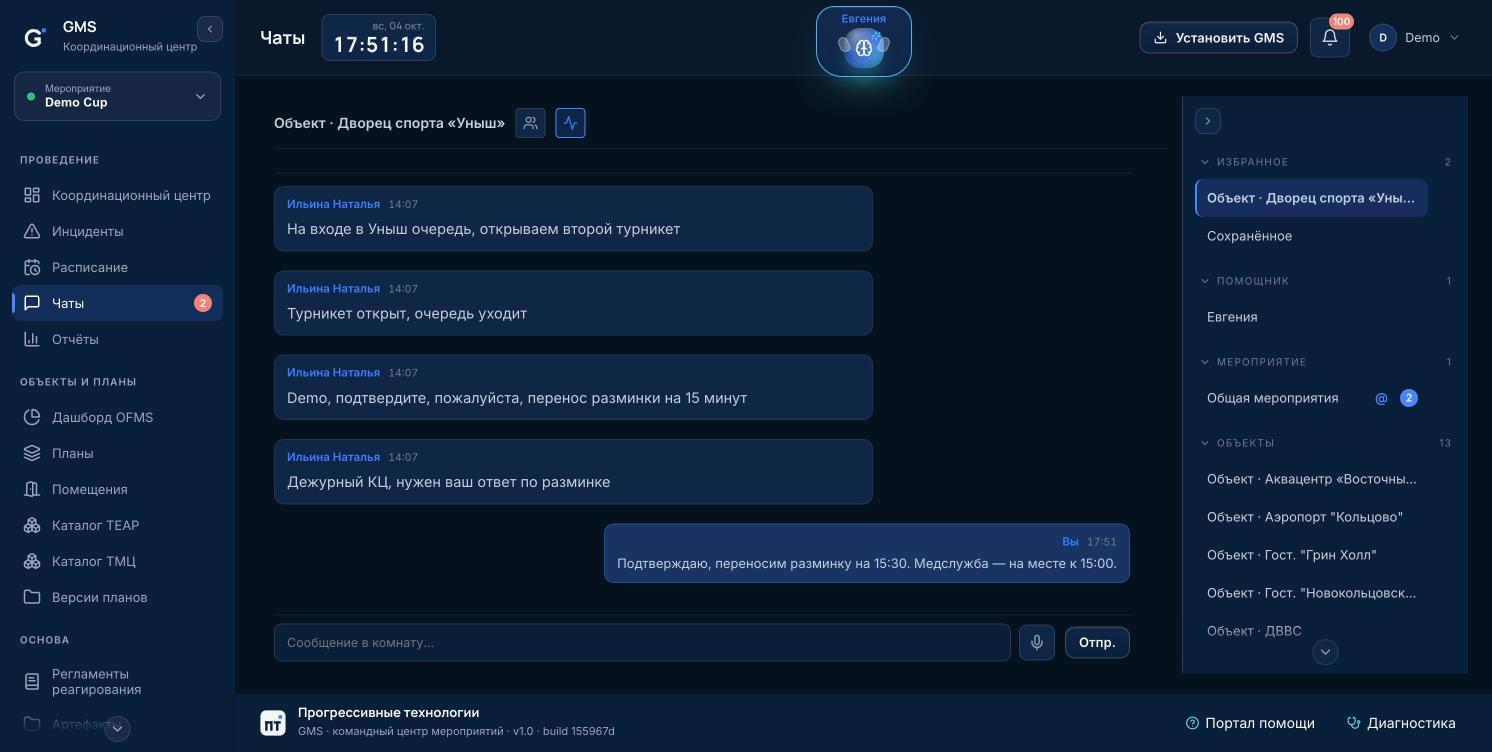
GMS Chats: venue room, favorites, unread counters and mentions
How it usually goes
  • A dozen groups in different messengers, messages get lost between them
  • Someone forgot to add the newcomer, while a former employee is still in the group with work data
  • To understand the situation you need to open three more systems
  • Chat history sits on someone else's servers and can't be found for a review
How it works in GMS
  • One place for communication: rooms for the event, venues and services
  • Room membership updates itself: remove someone from a venue and they leave its room
  • The venue "Pulse" next to the chat: incidents by status and today's events in one click
  • Conversations are stored in Russia and recorded in the audit log
StaffEvgenia right in the chat: answers from the regulations and runs tasks, such as loading a schedule
DeadlinesUnread counters and an "@" mark when you are mentioned — nothing important gets lost
CompliancePermissions from the matrix: who can post, pin and delete messages
Fewer mistakesFavorite rooms on top, "Saved" for important messages, direct messages from the room's member list
ReportingDecisions made in chat stay next to incidents and the schedule
SecuritySigning out closes access to conversations on that device
Mobile app — in development

GMS in the pocket of everyone on site

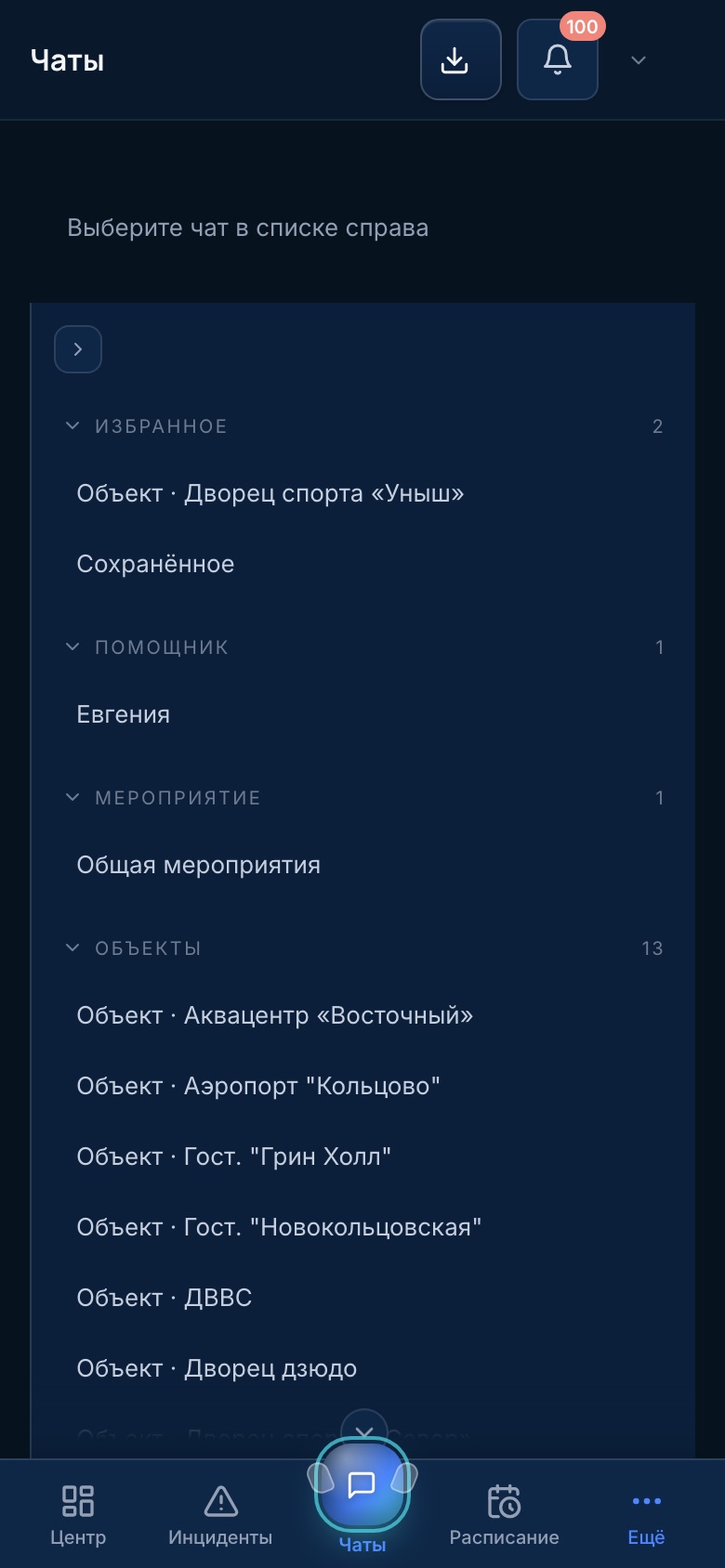
Today GMS already works in the phone browser and can be added to the home screen: incidents, the schedule and chats at hand, and on a poor connection actions are saved and sent once the network is back.

We are building a dedicated app for iOS and Android: push notifications about new messages and incidents, quick replies right from the notification, sign-in with a code.
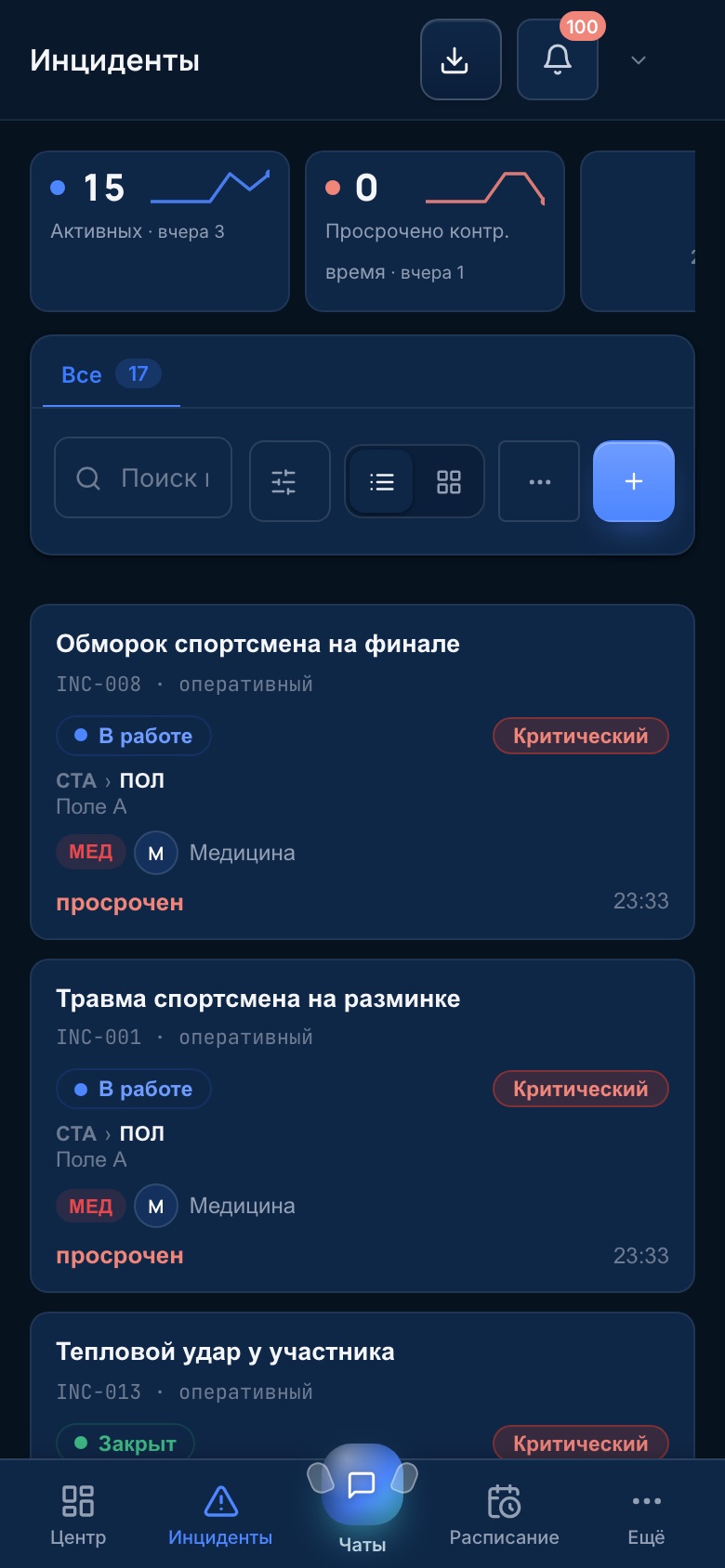
DeadlinesReport an incident with a photo from the spot in a few seconds
StaffThe same interface in the headquarters and on site — no retraining
GMS chats on a phone: favorites, venue rooms, unread counter
GMS incidents on a phone: active, overdue, incident cards
Compliance

Rules of conduct in every action, not in a folder on a shelf

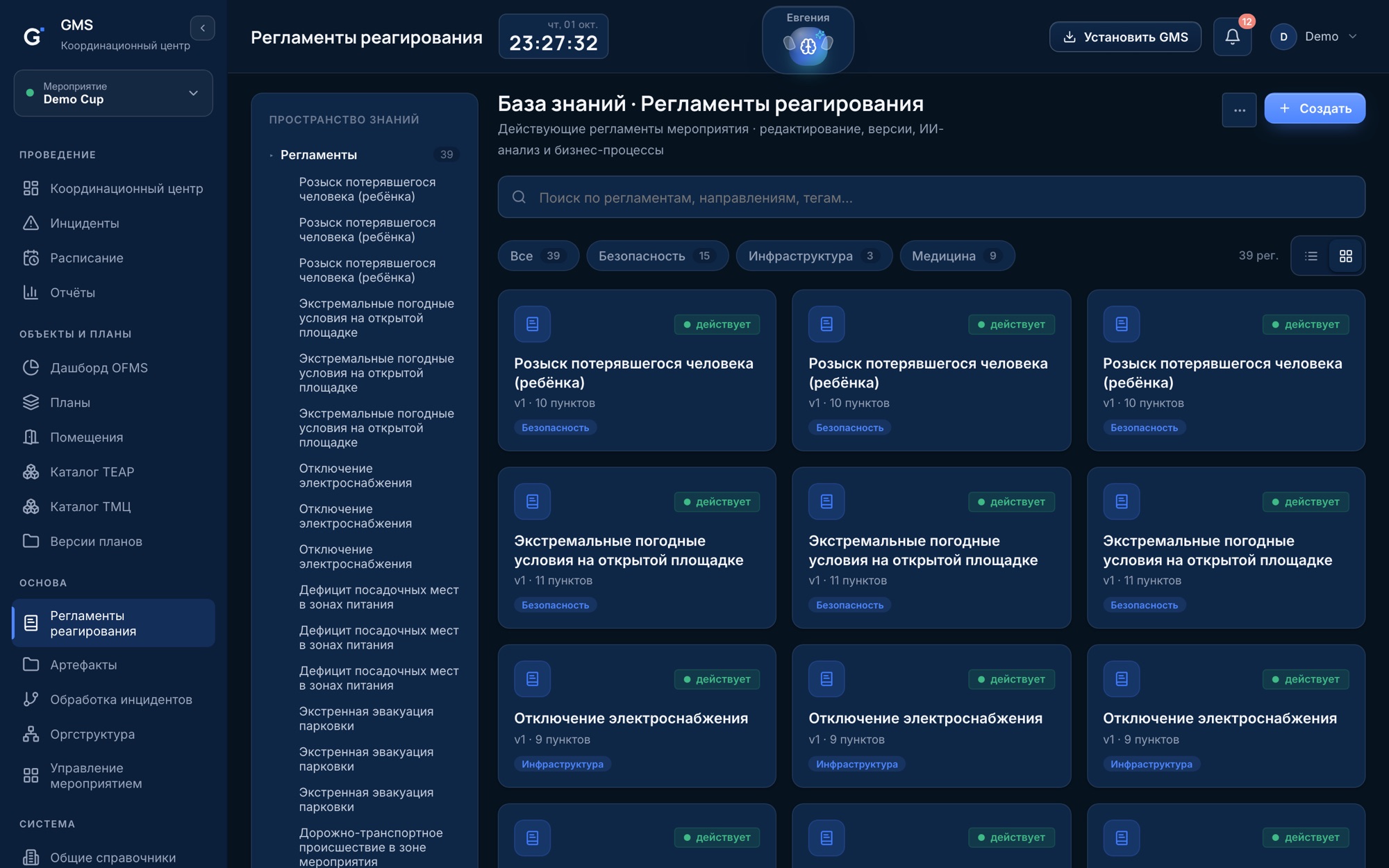
Regulations approved by the organizer become working procedures: each incident follows its process, deadlines are tracked, and every step stays in the log. When someone asks "who did what and when", the answer is already there.

Knowledge base: versioned response regulations
Safety at sports competitionsHelps meet the Rules for ensuring safety at official sports competitions (Russian Government Decree No. 353): response by procedure, deadline control, incident logging.
Personal data — Federal Law 152-FZStorage in Russia, isolation of each organization's data, anonymization before AI processing.
Full action logChanges and significant views are recorded, with export by employee — for the client, inspections and reviews.
Permissions on a "deny unless allowed" basisA permission matrix by employee, service and venue; checks run on the server, not in the interface.
Reporting without manual assemblyReports on incidents, the schedule and the event — in PDF, Word and Excel, with export date and author.

Also in GMS

Org structure
organizations, services, roles and people — with Excel export
Notifications
email and push, a recipient matrix by event type
External API
integration with adjacent systems via personal keys
Event templates
a new event with the reference data and permissions of the last one
Chats and Evgenia
event communication and the AI assistant in one system
Help center
guides for every screen right inside the system

Launch on your own files, not from a blank page

  1. 01We load your dataOrg structure, venues, schedule, regulations and floor plans — from the files you already have.
  2. 02We set up processes and permissionsIncident handling processes, duty pools, the permission and notification matrix — tailored to your structure.
  3. 03You run the event and reportCommand center, incidents and acceptance in one system; the final report is built from facts.

Already working in GMS?

Sign in